Getting started with SUNO
Account, plans, credits — and the setup habits that make everything downstream in Logic and Moises cleaner.
Getting an account going
- Create an account at SUNO and sign in to the web app.
- Review the current plan tiers. There's typically a free tier with a limited daily credit allotment, and paid tiers that add more monthly credits, faster/priority generation, and — importantly for this workflow — clearer commercial-use terms. Check the current terms rather than assuming.
- Note how credits work: generating songs consumes credits, and allotments differ by plan. If you plan to explore many variations, factor that into which tier you pick.
- Confirm the commercial-use terms for your tier before you build anything you intend to release — this is the setting most worth verifying up front.
Exact credit counts, prices, and licensing language shift often and vary by region. Don't take a number from any guide (including this one) as current — read it off your own account's billing/plan page.
Finding your way around
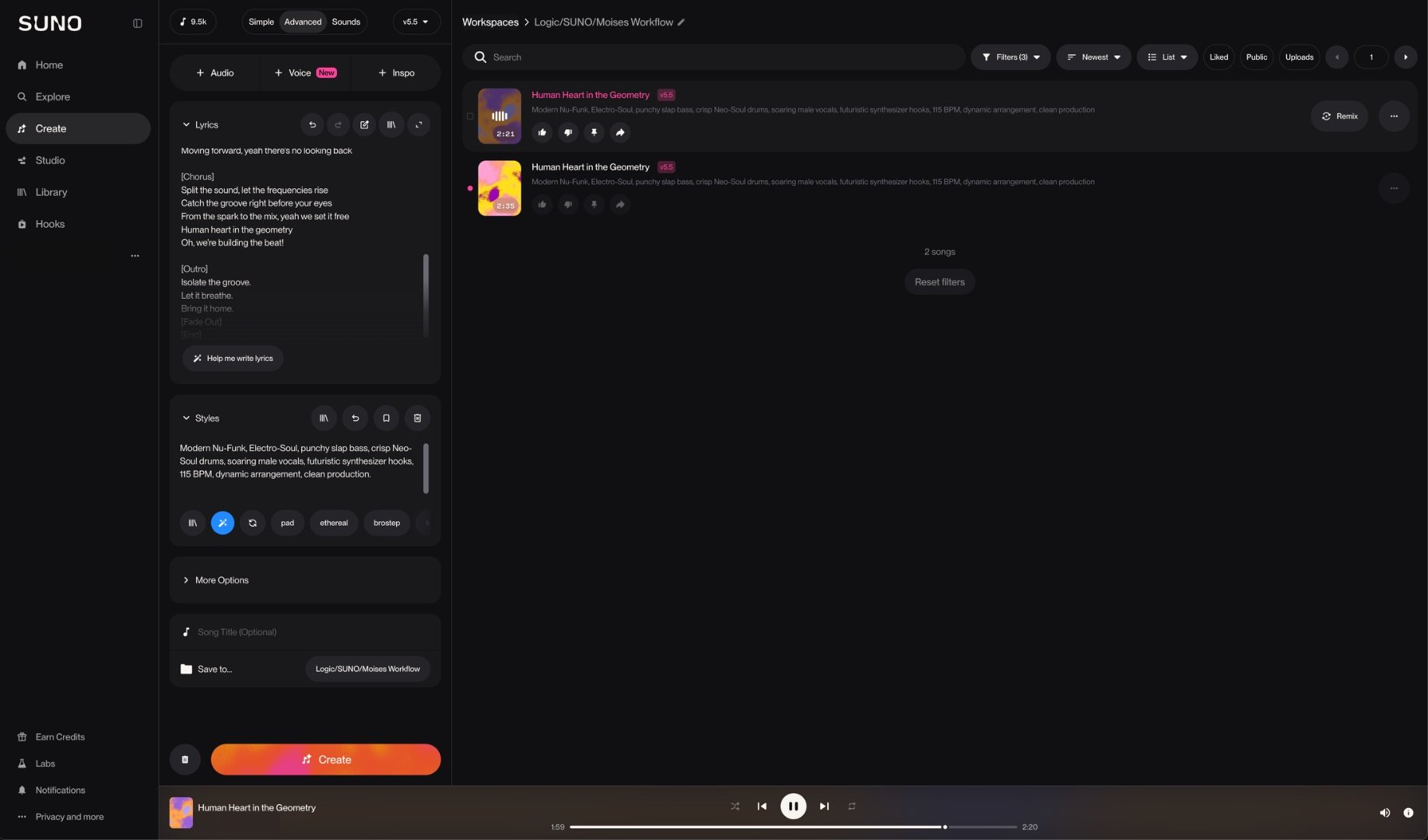
Two places matter day-to-day: the Create panel, where prompts become renders, and the library, where every generation and its variations accumulate. The create panel typically offers two ways in — a quick mode where one plain-language description drives everything, and a custom mode that splits the style description and the lyrics into separate fields. Names and layouts shift between versions, but that split is the durable idea, and custom mode is where the techniques on the Prompting & Lyrics page pay off.
Setting up for a clean handoff
Since SUNO is the front of the chain, "setup" is mostly about configuring yourself to hand material off cleanly:
- Organize into a workspace or project for the songs that belong to a given effort, so renders and their variations don't scatter.
- Grab the highest-fidelity export available to your plan. Lossy sources make every downstream step — separation in Logic or Moises, and any regeneration — measurably harder. If a WAV/lossless option exists, prefer it over MP3.
- Keep the prompt/style text with each render you like, so a good result is reproducible and you can iterate on it later rather than starting from scratch.